
Enterprise Support: Are Portable Monitors Reliable for Advanced Use?
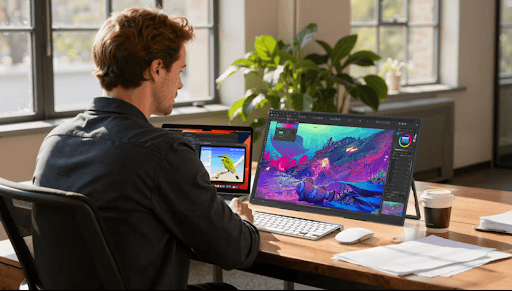
Portable monitors have become a popular tool for professionals who need extra screen space while working on the go. These lightweight devices make it easier to multitask, attend meetings, and work remotely without being tied to a desk.
But are portable monitors really suitable for more complex work? Many people wonder if they can handle the needs of professionals who use powerful software, need high-quality graphics, or work with large amounts of data.
This article will explore whether portable monitors are reliable for advanced business use. We’ll look at how well they perform, how they work with business tools, and if they last under heavy use.
What Makes a Portable Monitor “Advanced Use” Capable?
When we talk about “advanced use” in an enterprise setting, we refer to tasks that require more from a device than simple document editing or browsing. This includes using high-performance software, working with large data sets, engaging in graphic design, video editing, or running simulations.
In these cases, a portable monitor must offer the right features to handle demanding workloads effectively. For a portable monitor to be “advanced use” capable, several key features are essential:
1. Resolution:
High resolution is critical for clarity and detail, especially when working with graphics, charts, or high-definition videos. A resolution of at least 1920×1080 (Full HD) is standard for many tasks, but professionals working with design or media production may require even higher resolutions like 4K for more precision and detail.
2. Connectivity:
The ability to connect easily to other devices is a must. Monitors that support multiple ports such as HDMI, USB-C, and DisplayPort provide flexibility and compatibility with a wide range of devices, from laptops to desktops to smartphones. Some advanced monitors also support wireless connections, which can be convenient for mobile professionals.
3. Refresh Rate:
A higher refresh rate (such as 120Hz or 144Hz) can make a difference in tasks that involve fast movements, such as video editing, gaming, or working with animation. A smoother refresh rate reduces lag and ghosting, improving the overall user experience.
4. Size:
While portability is important, the size of the monitor is also crucial. Monitors typically range from 12 to 17 inches. A larger screen size offers more workspace for multitasking or handling complex software, but it may also reduce portability. The right size depends on the balance between portability and performance required for the job.
Differences Between Basic and Advanced Portable Monitors
Basic portable monitors are usually designed for simple tasks such as browsing, writing, or checking email. They tend to have lower resolutions, limited connectivity options, and are often smaller in size. These monitors are lightweight and easy to carry, but they lack the advanced features needed for heavy-duty applications.
On the other hand, advanced portable monitors are built with higher specifications to support more demanding applications. They feature higher resolutions (often 4K), better color accuracy, and faster refresh rates.
These monitors also offer more robust connectivity options to handle multiple devices simultaneously. With these features, advanced monitors can manage complex enterprise tasks like data analysis, creative work, and high-level presentations, making them a reliable choice for professionals who require performance and portability.
Performance and Productivity Benefits
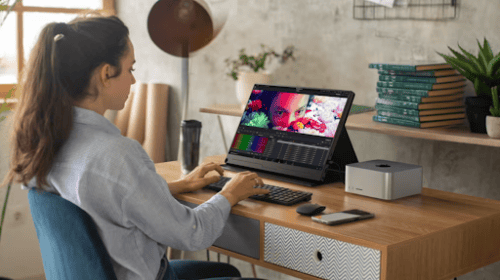
Portable monitors offer significant performance and productivity benefits, especially for professionals who need to maximize their work efficiency.
Boosting Multitasking, Presentations, and Collaboration
By adding a second screen, portable monitors help users handle multiple tasks at once. For example, you can keep a document open on one screen while referencing data or managing emails on the other, making it easier to switch between tasks without losing focus.
In presentations, these monitors allow for smooth transitions between slides and reference materials, helping maintain the flow of the meeting. For teams working remotely or in hybrid setups, portable monitors improve collaboration by enabling simultaneous screen sharing and real-time editing of documents.
Enhanced Screen Space for Complex Software
Portable monitors provide extra screen real estate, which is crucial for professionals using complex software. Whether analyzing data, editing graphics, or running simulations, the additional screen space allows for better organization of applications and reduces the need for constant window switching. This is especially beneficial for tasks like comparing data sets or editing large files, improving speed and accuracy.
Types of Ports and Their Relevance
Different ports determine how easily a portable monitor connects to devices. HDMI is the most common, ensuring compatibility with laptops, desktops, and projectors. USB-C offers faster data transfer and power delivery, making it ideal for newer laptops and devices.
DisplayPort is often found on high-end monitors, providing superior video quality and supporting high refresh rates, which is crucial for tasks requiring precision.
Wireless Connection Options: Pros and Cons
Wireless connectivity offers convenience by reducing cable clutter, but it can sometimes result in slower performance or occasional lag, especially during high-demand tasks like video editing. While wireless options are great for presentations and meetings, they may not be the best for intensive applications.
Industries and Roles That Benefit the Most
Certain industries and job roles are ideal for portable monitors, especially those that require mobility and flexibility. Consultants, field agents, and project managers are prime examples. Consultants often work on the go, meeting clients in various locations and presenting data or reports.
Field agents benefit from the ability to quickly review documents, track data, or communicate with teams while on-site. Project managers can keep track of multiple tasks and teams in real time, using the additional screen space for efficient task management and collaboration.
Conclusion
Portable monitors are a practical solution for many professionals who require mobility without sacrificing productivity. Their value lies in their ability to adapt to a variety of work environments, offering flexibility for individuals who are constantly on the move.
While they excel in enhancing workflow and collaboration, businesses must carefully assess the specific needs of each role to determine whether the performance of portable monitors aligns with the task at hand.